Publisher : Strezov Sampling
Format : Kontakt (6.7.0+)
Quality : Stereo 48 kHz 24 bit
Size : 18.34 GB
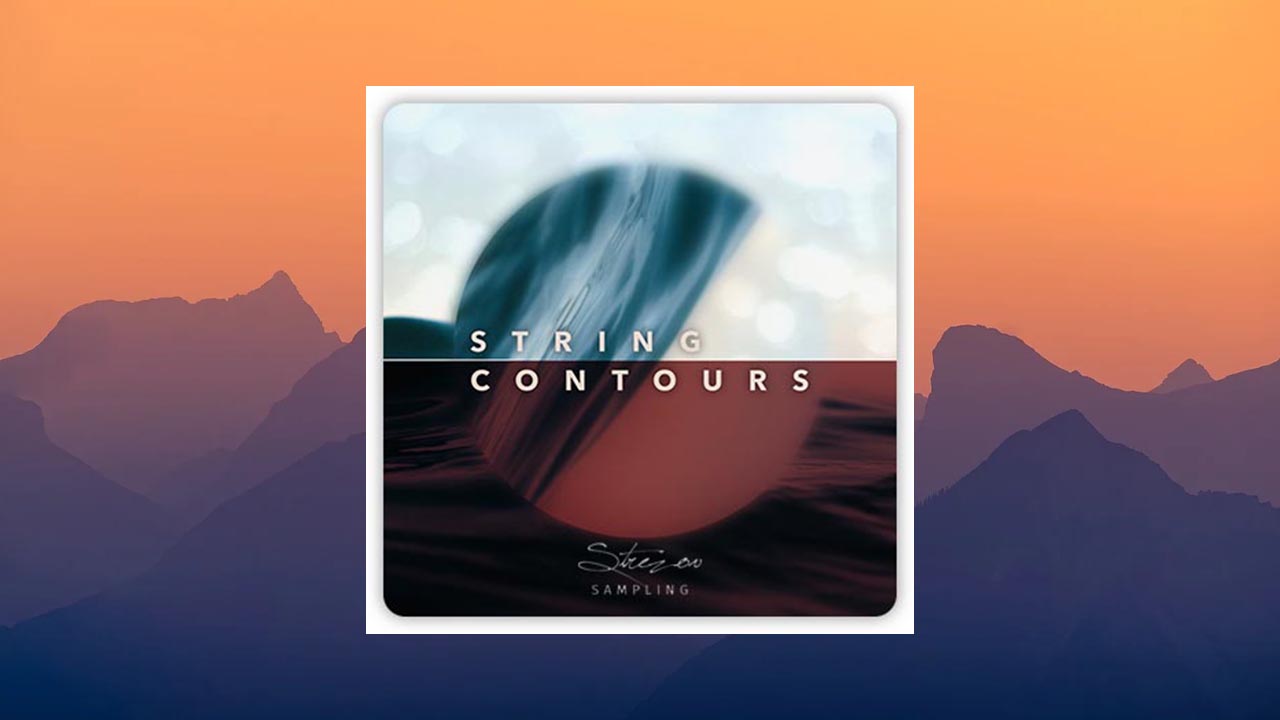
String Library Update:
Go beyond traditional string samples! String Contours is a new approach to contextual sampling, both in terms of tempo and expression. Gently elevate the sound of your tracks and stop tweaking CC data—let the performance be programmable, while you focus on the music itself!
What is a contour?
A contour is a recorded performance with a fixed length and dynamic shape. For example, a one-bar crescendo buildup, leading to a one-bar diminuendo with a bow change in the middle.
String Contours let you play back a performance and seamlessly change notes without starting a new performance. You always stay within the dynamic shape and phrasing of the original performance. This results in realistic and harmonic vibrato, as well as dynamic flow, without any MIDI CC programming, allowing you to achieve high-quality results with a minimalist approach to composition, thanks to the expressiveness of the recordings themselves.
Different recordings with different tempos.
Since the performance of a musical phrase is highly dependent on context, especially in terms of length and tempo, we wanted to bring this contextuality to the world of virtual instruments.
Each contour was recorded at different speeds (3 different tempos) and shapes (4 different dynamic shapes) to maintain the context of the live performance in all groups, as well as consistency across the entire collection. Kontakt automatically selects the correct sample pool based on the sequencer tempo and seamlessly adjusts when the tempo changes. Time stretching is kept to an absolute minimum, so it’s barely audible. A lot of time was spent finding the right tempo value, which had to be recorded to achieve the best results. The exception is the Normale Espressivo patches, which were recorded only at 140 tempo, but they are still synchronized with the DAW tempo.
Adaptation:
In String Contours, you can change the notes of the performance according to the contour of the selected shape. The script intelligently adds releases and contextually recorded attacks between notes based on where and how bowing occurs, resulting in smooth transitions across the recorded forms.
All recordings were made with a consistent performance style within the instrument’s range and between groups, so when combined, you achieve a sense of unified performance intent and consistent phrasing across all lines of your arrangement.
Transparent and natural recording
The recordings were made with hand-picked musicians who best matched the desired aesthetic in tone and vibrato, using custom microphone arrays arranged in three different positions and a fully finished mixer. The venue is medium-sized, allowing for a cinematic sound while preserving as much detail as possible.
Because this library avoids dynamic layers and loop repeats, you always get the sound of a true live recording without the usual overdubbed ensemble pad. Play a three-part chord on a solo cello, and it will sound as if three cellos are playing together.
Instruments
• Violin group
• Viola group
• Cello group
• Double bass group
• Solo violin
• Solo cello
• New: Full ensemble
Bowing techniques
• Normal
• Normal Expressive (Normale Espressivo)
• From Sul Pont to Normale and back to Sul Pont
• Sul Tasto (at the fingerboard) •
Tremolo
• Tremolo Sul Pont (at the bridge)
• Lure (smooth leading with accents)
• Tenuto layers (controlled by velocity), recorded in context
Manual (PDF) Other libraries Strezov Sampling for Kontakt
✔️ Installing the update
1. Copy and replace the contents of the distribution to the root folder of the library.
2. By default, the library requires a 12-digit code. To prevent this, you need to move the String Contours folder in the root folder of the distribution to the directory that meets your criteria.
Windows:
C:\Users\username\AppData\Local\
(same directory: %LocalAppData%)
Windows (Kontakt Portable):
Kontakt_Portable_Root\UserData\
macOS:
/Users/username/Library/Application Support/
Changes in version 1.1.0
Added:
• Full ensemble patches
• Automatic scaling to bar time. You have the option to set the contour to one of four time signatures: 4/4, 3/4, 5/8, 7/8. If you choose the same time signature as in your DAW, the contour will perfectly fit the specified number of bars
• Tempo. Choosing between normal, half, or double tempo allows you to control the playback speed of the contour. This feature is useful when you work with a higher (or lower) tempo in your DAW, but want the dynamic swell to sound at half or double tempo